Documentation
Troubleshooting
⚙️ Smart App Control
⚙️ Smart App Control
☝️
Important
Smart App Control in Windows 11 may block or prevent certain applications from running, including components required for Sudden Attack.
Follow the steps below to disable it.
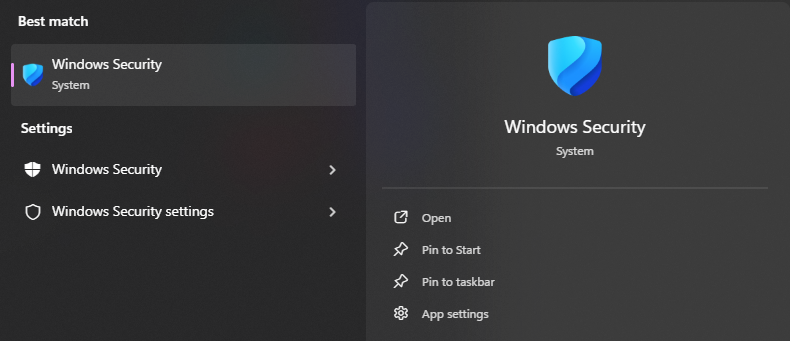
1. Open Windows Security
-
Press
Windows + S - Search for Windows Security
- Open the application
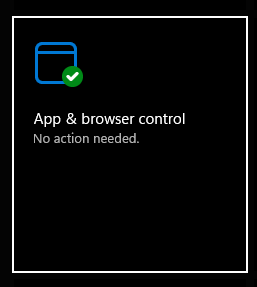
2. Go to App & Browser Control
- Click on "App & browser control"
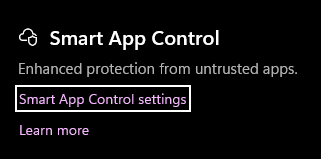
3. Open Smart App Control Settings
- Find Smart App Control
- Click on it to open settings
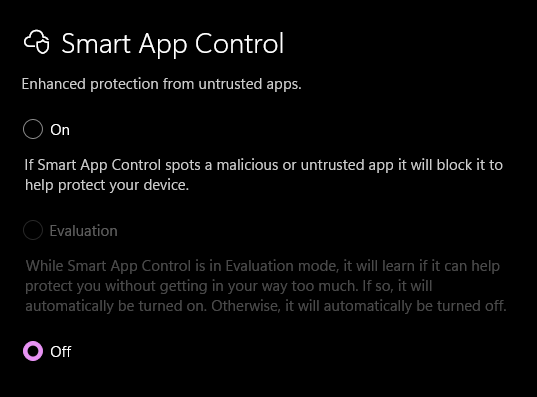
4. Click on Off to disable it.
If the game still doesn’t run properly
- Ensure Windows Defender exclusions are configured
- Check for missing dependencies
- Review other troubleshooting guides in this documentation